STEEL ESTIMATING SOFTWARE
Steel estimating software that starts at the drawing, not the spreadsheet
The best steel estimating software for small and mid-size fabricators is SteelFlo: upload a PDF drawing set, the AI finds every steel member, your estimator verifies the takeoff, and the built-in pricing engine turns it into a bid with your own material, labor, and markup rates.
AI detection plus human verification delivers 95-99% accuracy, backed by a database of 4,700+ steel sections across 6 standards (AISC, BS/IS, AS/NZS, EN, GB, and CFS/SSMA).
You get 3 free takeoffs to start — no credit card — and SteelFlo Pro is a transparent $399/month.
Most estimating tools assume the quantities already exist and just do the math. The expensive errors happen before that — in the counting. SteelFlo automates the counting, makes you verify it, and only then prices it, so the bid stands on a takeoff you can defend line by line.
3 FREE TAKEOFFS · NO CREDIT CARD · PRO $399/MO · PATENT PENDING
HOW IT WORKS
PDF in. Verified takeoff out.
One tool from PDF to priced bid: takeoff, verification, pricing, and mill-length ordering. No re-keying quantities between systems.
Upload your PDF
Drop the structural drawing set — any page count, text-based or scanned. No CAD files, no model exports, no reformatting. The PDF you already got from the engineer is the input.
AI finds every member
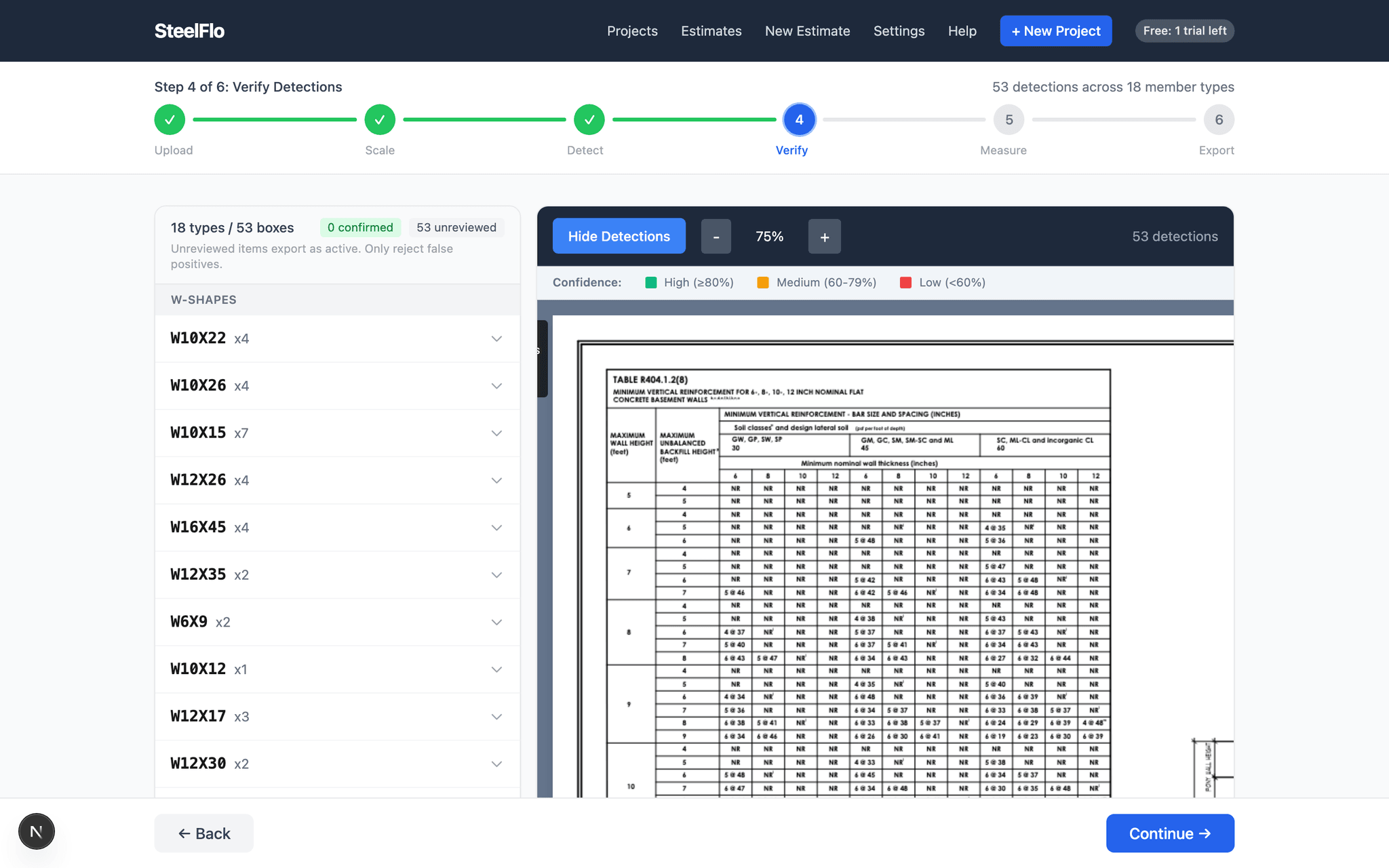
The detection engine scans every page and draws a box around every steel member callout it finds — beams, columns, HSS, angles, channels, plates. It auto-detects which steel standard the drawings use and looks up section weights accordingly.
Your estimator verifies
Every detection is traceable to its exact spot on the drawing. High-confidence items can be bulk-confirmed; flagged items get inspected one by one. Nothing exports unverified — the count is what you approved, not what a black box guessed.
Export BOM or priced estimate
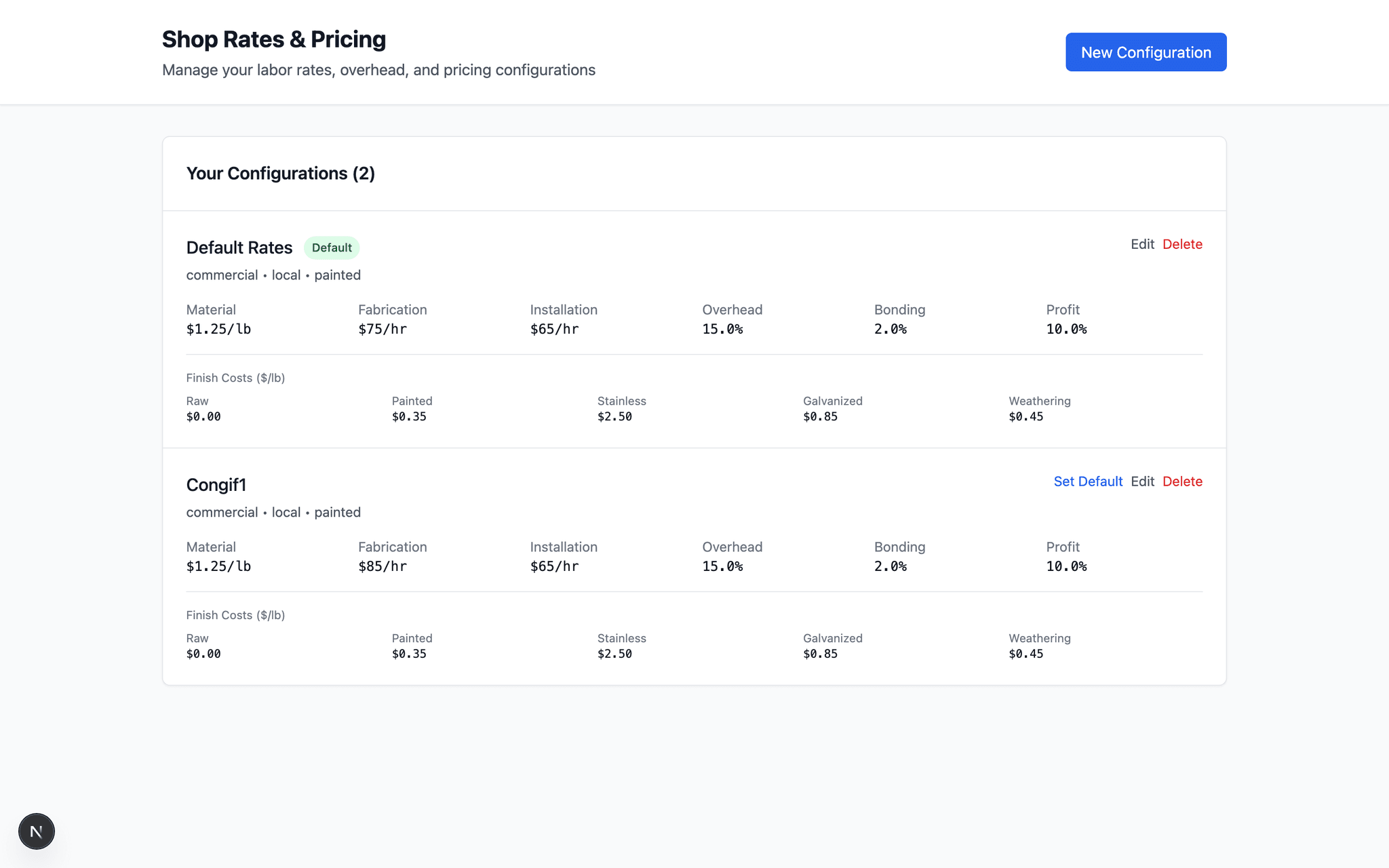
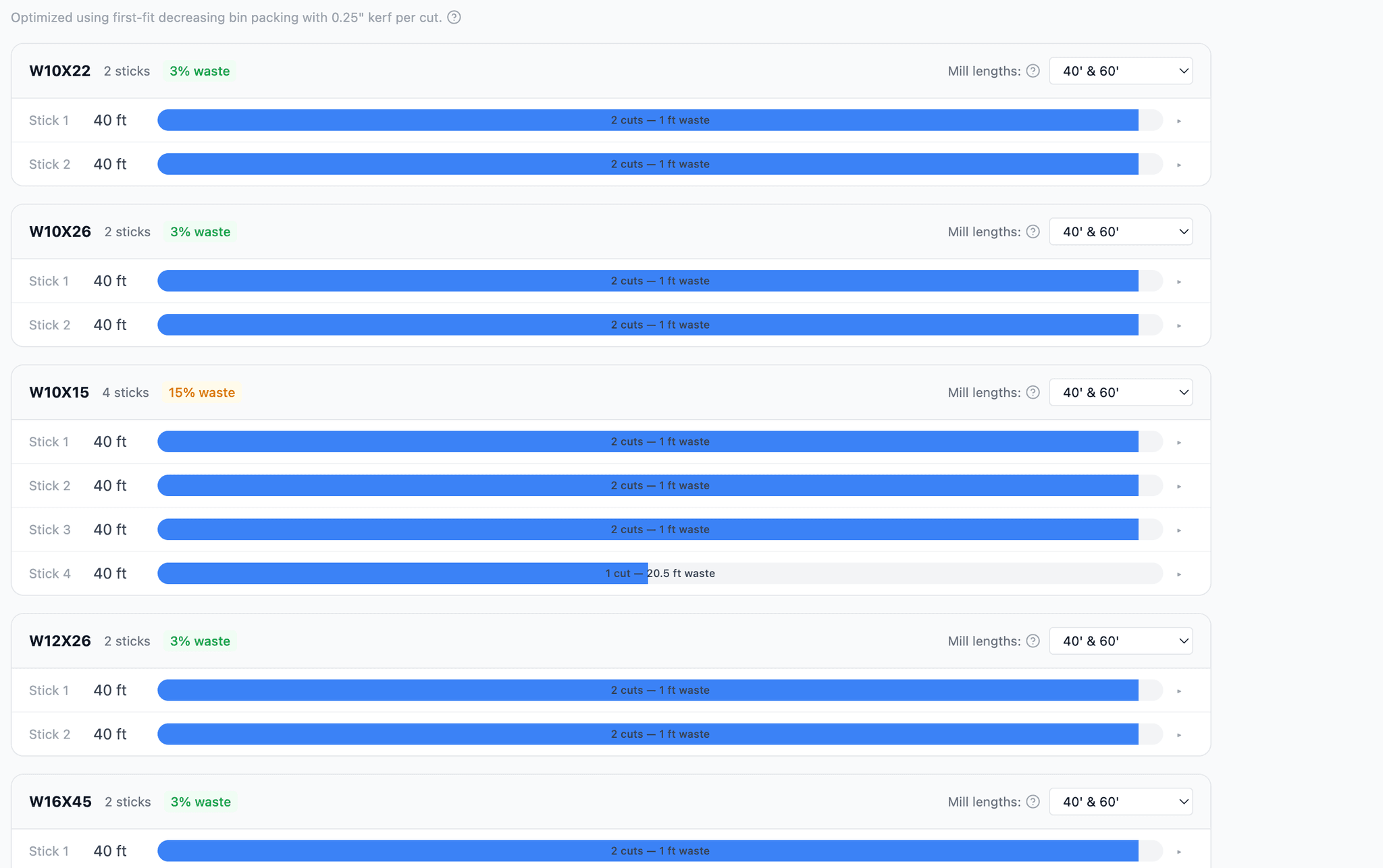
Generate a cut list, a nesting-optimized order sheet with waste percentages, or run the verified takeoff straight through the pricing engine with your own material, labor, and markup rates.
THE ACTUAL PRODUCT
What you see on screen
WHY FABRICATORS PICK STEELFLO
Six things no other tool puts in one place
4,700+ sections, 6 standards
AISC, BS/IS, AS/NZS, EN, GB, and CFS/SSMA cold-formed. The standard is detected from the drawings automatically — no other steel takeoff tool covers five international standards.
95-99% verified accuracy
AI detection plus line-by-line human verification. That combination — not raw AI output — is what hits 95-99%. Every detection links back to its sheet so you can check any number in seconds.
Transparent pricing
SteelFlo Pro is $399/month, published right on the site. No demo call, no "contact sales" quote form, no annual lock-in required to see a price.
Free trial on real work
3 free takeoffs when you sign up — no credit card. Upload drawings from a job you actually bid and compare the output against your own numbers.
Patent-pending detection
The detection pipeline is patent pending. It handles text-based PDFs, CAD-flattened exports, and scanned/raster drawings — the messy sets you actually receive, not just clean demo files.
Takeoff and estimating in one tool
Most takeoff tools stop at a CSV. SteelFlo carries the verified BOM into a full pricing engine — material, labor, overhead, markup — plus a nesting optimizer for mill-length ordering.
SIDE BY SIDE
How SteelFlo compares
| Capability | SteelFlo | Beam AI | Bluebeam Revu | PlanSwift | Togal.AI |
|---|---|---|---|---|---|
| Built for structural steel | Yes — steel only | Steel + other trades | No — general PDF markup | No — general construction | No — general construction |
| AI member detection | Yes — every callout boxed on the drawing | Yes — delivered as a service | No — manual measurement | No — manual clicking and counting | AI for areas/lengths, not steel members |
| Steel section database | 4,700+ sections, 6 standards | Not published | None | None | None |
| International standards | AISC + BS/IS, AS/NZS, EN, GB, CFS/SSMA | Not published | N/A | N/A | N/A |
| Human verification workflow | Built in — review every box before export | Internal to their team | You are the workflow | You are the workflow | Review tools, not steel-specific |
| Pricing | $399/mo, published | Quote-based | Per-seat license | Per-seat license | Quote-based |
| Free trial | 3 free takeoffs, no credit card | Demo on request | Time-limited trial | Time-limited trial | Demo on request |
Detailed head-to-head breakdowns: SteelFlo vs Beam AI · SteelFlo vs Bluebeam · SteelFlo vs PlanSwift · SteelFlo vs Togal.AI · SteelFlo vs Excel.
FREQUENTLY ASKED QUESTIONS
Straight answers
01What is steel estimating software?
Steel estimating software turns a set of structural drawings into a priced bid: it quantifies the steel (the takeoff), calculates tonnage from section weights, and applies material prices, labor rates, overhead, and markup. SteelFlo covers the full chain — AI reads the PDF, your estimator verifies the takeoff, and the built-in pricing engine produces the estimate.
02Can I build an estimate without uploading drawings?
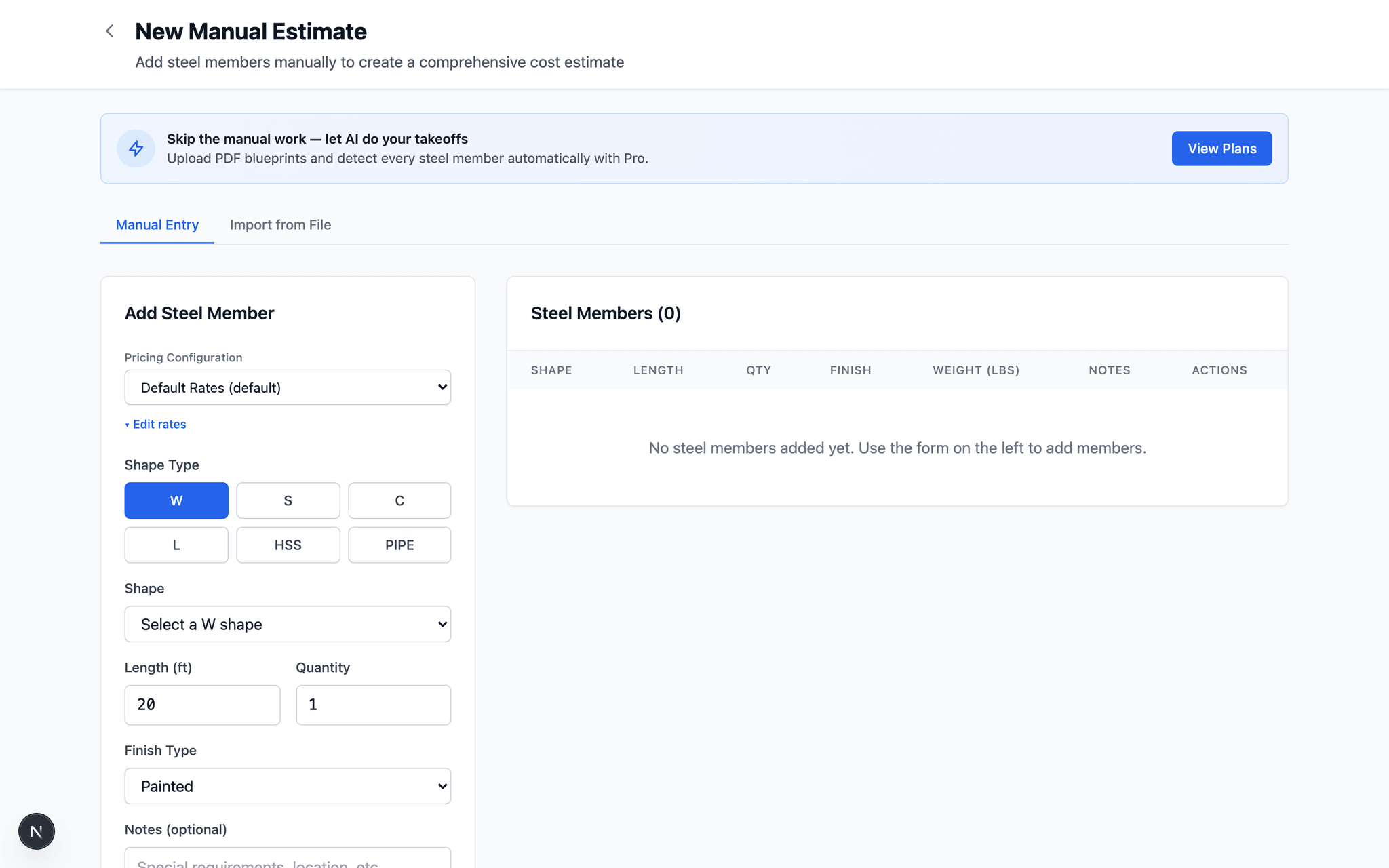
Yes. SteelFlo includes a manual estimator where you type in members directly, and a free public calculator with 4,700+ shapes across hot-rolled and cold-formed standards — configure your material, labor, and markup rates and get a priced estimate with no account required.
03How does SteelFlo price a takeoff?
The verified bill of materials flows into the pricing engine, which applies your material rates by shape and size, labor rates, overhead, and markup. You also get a nesting optimizer that arranges cut pieces onto standard mill lengths and shows waste percentage per member type, so the material number reflects what you will actually order.
04How accurate are the takeoff quantities behind the estimate?
95-99% — with the important caveat that this is AI detection plus human verification, not raw AI output. The AI boxes every member it finds on the drawings; your estimator confirms or rejects each one before pricing. An estimate is only as good as the takeoff under it, which is why verification is built into the workflow rather than optional.
05What does steel estimating software cost?
SteelFlo Pro is $399 per month, published on the site — no quote form, no sales call. Every new account starts with 3 free takeoffs and no credit card. For comparison, steel-specific estimating suites typically run $150-$500 per month per user, and fabrication ERPs with estimating modules start around $500 per month plus implementation.
06Does it handle metric and international drawings?
Yes. SteelFlo supports 6 standards — AISC, BS/IS, AS/NZS, EN, GB, and CFS/SSMA cold-formed — with 4,700+ sections. It detects the standard and unit system from the drawings, uses kg/m weights on metric standards, and outputs in native units.
07Can I export the estimate to Excel or my ERP?
Yes. You can export a CSV cut list, a nesting-based order sheet, and a priced estimate. The output is clean, structured data — member type, quantity, length, weight, cost — so it drops into spreadsheets or downstream systems without reformatting.
Looking at this from the other side of the workflow? See structural steel takeoff software — how the quantities get extracted.
Run it on a real job
Upload a drawing set you already estimated by hand and compare the numbers. 3 free takeoffs, no credit card, no sales call.