STEEL TAKEOFF SOFTWARE · AUSTRALIA & NEW ZEALAND
Steel quantity takeoff software for AS/NZS drawings
SteelFlo is steel quantity takeoff software that reads Australian and New Zealand structural drawings: UB, UC, PFC, EA/UA angles and SHS, RHS and CHS are found across a PDF set, boxed for review, and exported as a bill of materials in kg/m and metres.
The database holds 4,700+ sections across six standards, with AS/NZS 3679 and 1163 ranges included, so you are not converting from US shapes to price a local job.
The first 3 takeoffs are free with no card. Paid plans are billed in US dollars from $399 a month.
For fabricators and detailers who still count steel from PDFs by hand: let the software do the first pass over every sheet, then review it yourself.
3 FREE TAKEOFFS · NO CREDIT CARD · PRO $399/MO · PATENT PENDING
PUBLISHED PRICING · USD
Full pricing →Free
$0no card
3 AI takeoffs, CSV export
One-Job Pass
$99one-time
5 takeoff credits, no subscription
Pro
$399/month
10 takeoffs/month, 1 seat
Business
$599/month
25 takeoffs/month, 3 seats
Enterprise
from $1,499/month
60 takeoffs/month, dedicated support
Published pricing. No demo call, no quote form.
THE AS/NZS RANGE
Sections as Australian drawings print them
Australian and New Zealand drawings have their own shorthand, and the section names carry the weight: 310UB40.4 is a universal beam of 40.4 kg/m. SteelFlo reads these callouts directly and looks up the catalogue weight, so the tonnage on your quote comes from the section tables and not from anyone's memory.
UB and UC
Universal beams and columns, for example 360UB44.7 or 150UC30.0.
PFC
Parallel flange channels such as 200PFC and 380PFC.
EA and UA angles
Equal and unequal angles, including compact forms like 75x75x6 EA.
SHS, RHS, CHS
Hollow sections, by size and wall thickness, to AS/NZS 1163.
Cold-formed
Cold-formed members through the cold-formed section database; check your own purlin profiles on a sample sheet.
Plates and flats
Plates and flat bar callouts. Plates with no printed size are flagged, not counted.
THE WORKFLOW
A quantity takeoff you can defend line by line
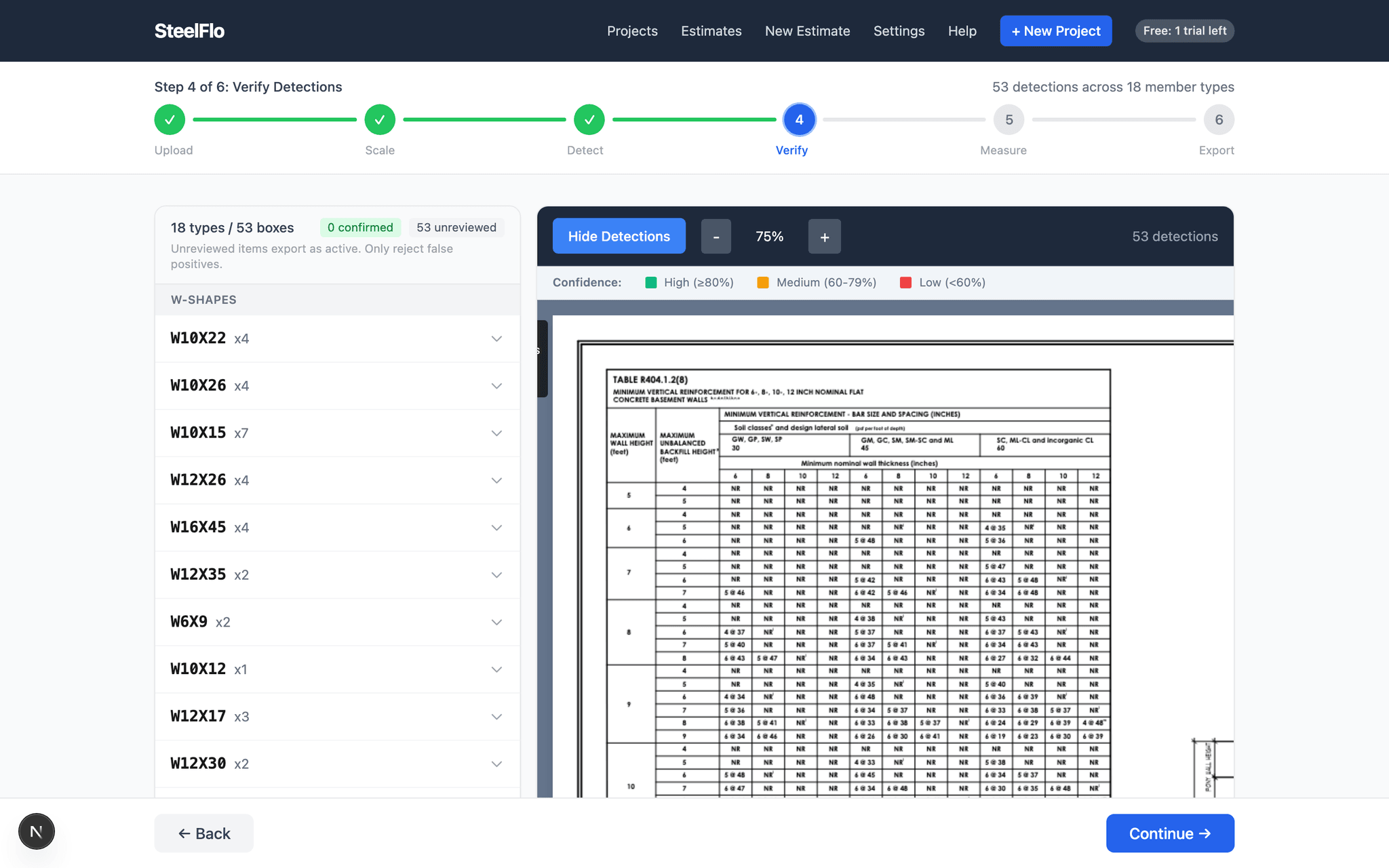
A quantity takeoff is only worth as much as the checking behind it. Upload the PDF set and the software boxes every steel callout on every sheet. You then work through the boxes: confirm the clear ones in bulk, open the flagged ones against the drawing, and reject anything that is not steel. The count is the number of boxes you approved.
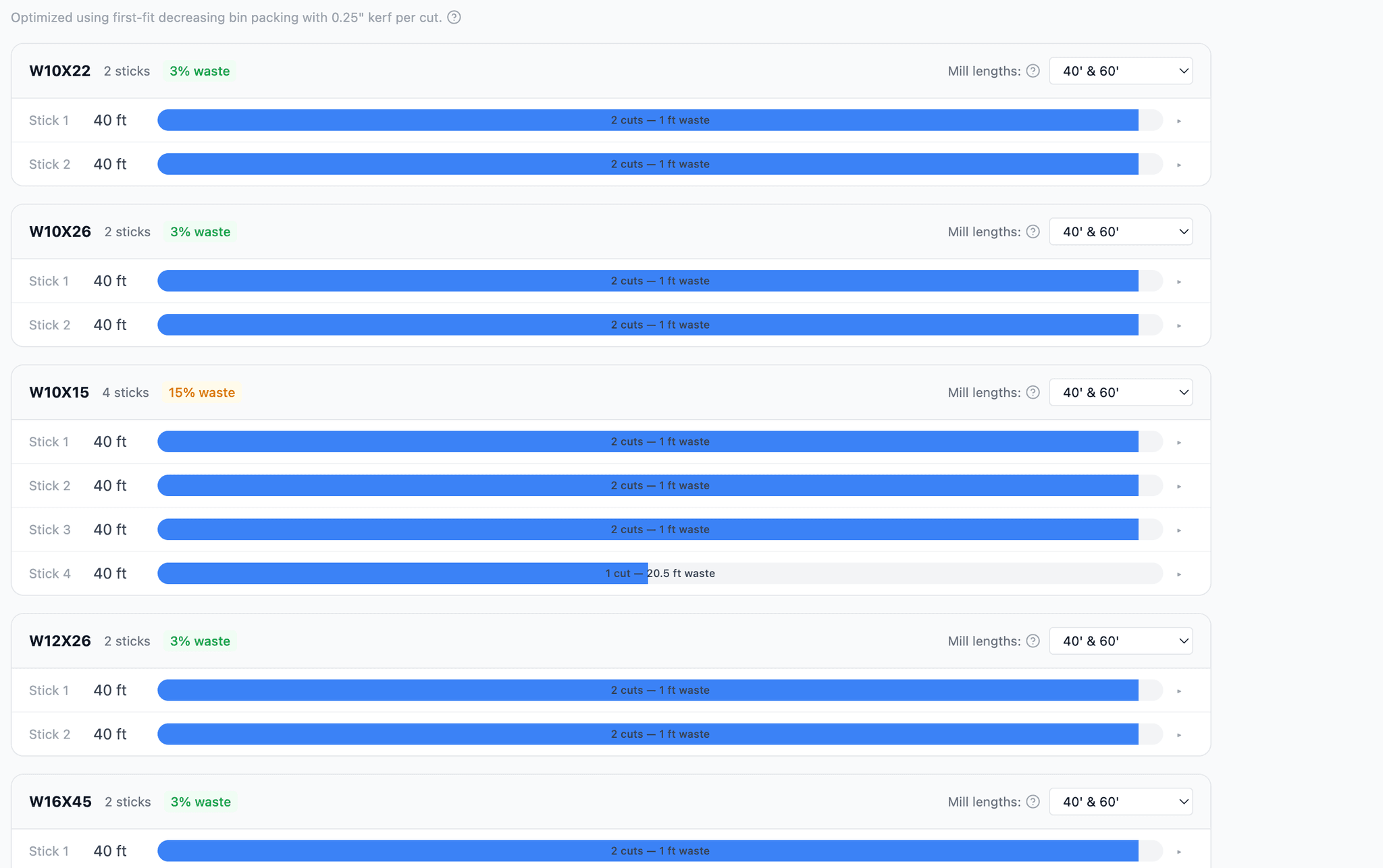
Because each line links to a position on a sheet, an RFI to the engineer or a query from the builder takes a minute to answer, not an afternoon. When you are done you can export a CSV bill of materials, a cut list, or a nesting sheet that arranges pieces onto stock lengths with waste shown per member type.
It reads text-based PDFs and scanned drawings. Scans need more time and clean images help for software and people alike. Our guide to scanned drawings covers what to expect.
FIT CHECK
What matters if you are quoting in Australia or NZ
| Question | Answer |
|---|---|
| Standards | AS/NZS sections in the database, alongside AISC, BS/IS, EN, GB and cold-formed. |
| Units | Metric drawings are reported in metric: kg/m, metres, kilograms. |
| Currency | Billing in USD. No AUD or NZD price list at present. |
| Input | PDF drawings, text-based or scanned. |
| Accuracy | 95-99% with AI detection plus human verification. |
| Trial | 3 free takeoffs, no credit card. |
Not ready to upload? The free calculator prices individual sections with no account, and the shapes reference lists dimensions and weights for every family.
THE ACTUAL PRODUCT
What you see on screen
FREQUENTLY ASKED QUESTIONS
Straight answers
01Does SteelFlo handle AS/NZS UB, UC and PFC sections?
Yes. Universal beams and columns, parallel flange channels, equal and unequal angles (EA and UA), and square, rectangular and circular hollow sections are in the AS/NZS section database. Callouts like 310UB40.4, 200UC46.2 or 250PFC are matched to the right section and weight.
02Can it read the way Australian drawings print angles and hollow sections?
Yes, including the compact forms such as 100x100x8 EA, 150x90x10 UA, 89x3.5 SHS and 100x50x4 RHS. If a callout is ambiguous it is flagged rather than guessed, and your estimator decides.
03Does it work for purlins and girts?
Cold-formed members are supported through the cold-formed section database, and hot-rolled secondary steel such as PFC and angles is read like any other member. Purlin and girt profiles vary by supplier, so run a sample sheet from your own job on the free allowance to see how your specific profiles come through.
04Does it report weight in kg/m and tonnes?
Metric drawings are reported in metric units: kg/m for section weights, metres for lengths, and kilograms for totals. Divide by 1,000 if your quote works in tonnes.
05Is pricing in AUD or NZD?
No. Billing is in US dollars: Pro is $399/month, Business $599/month, Enterprise from $1,499/month, and the first 3 takeoffs are free with no card. Your own estimating rates in the pricing engine are whatever you type in.
06Does the nominal thickness in AS/NZS names affect the weights?
It is handled in the database. Several AS/NZS thicknesses in the name are nominal while the rolled thickness differs slightly, so weights come from the published catalogue values rather than a formula on the name.
07How accurate is it?
The published figure is 95-99% accuracy for AI detection combined with human verification. The AI boxes members it finds; you confirm or reject each one before anything exports.
Looking at this from the other side of the workflow? See the main steel takeoff software page.
Run it on a real job
Upload a drawing set you already estimated by hand and compare the numbers. 3 free takeoffs, no credit card, no sales call.